Nesting and machine files
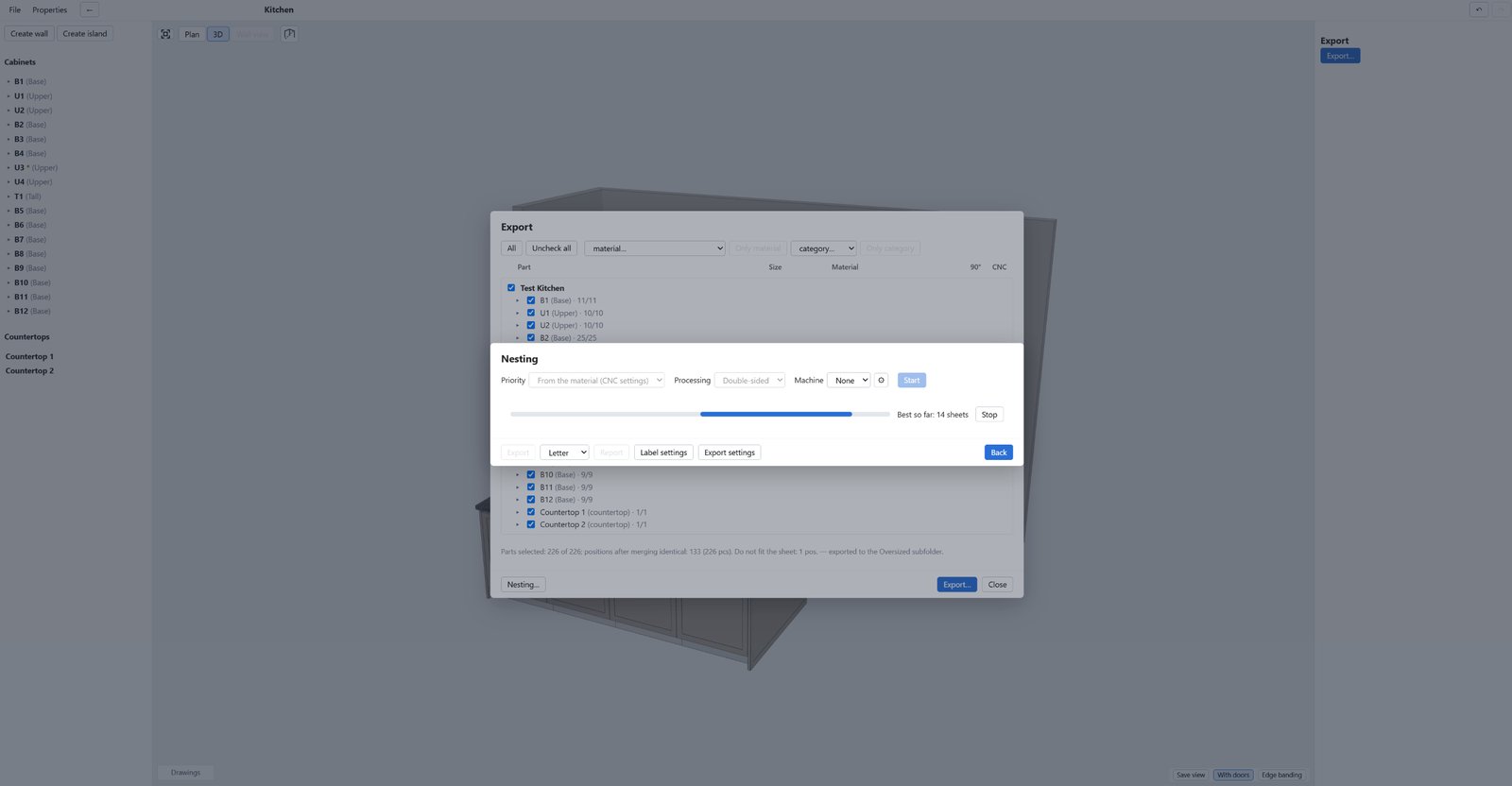
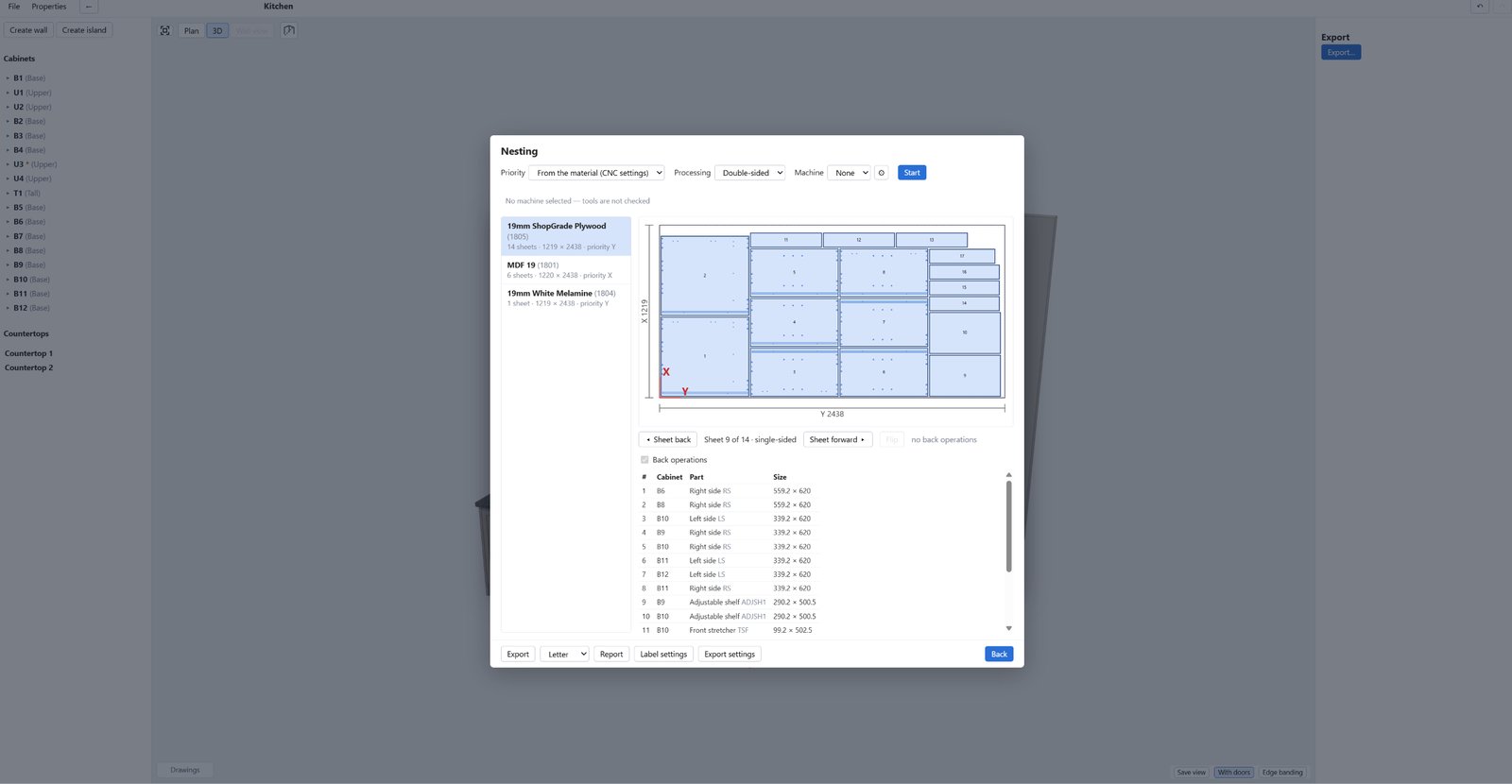
Parts are laid out on sheets and machine files are prepared for every sheet.
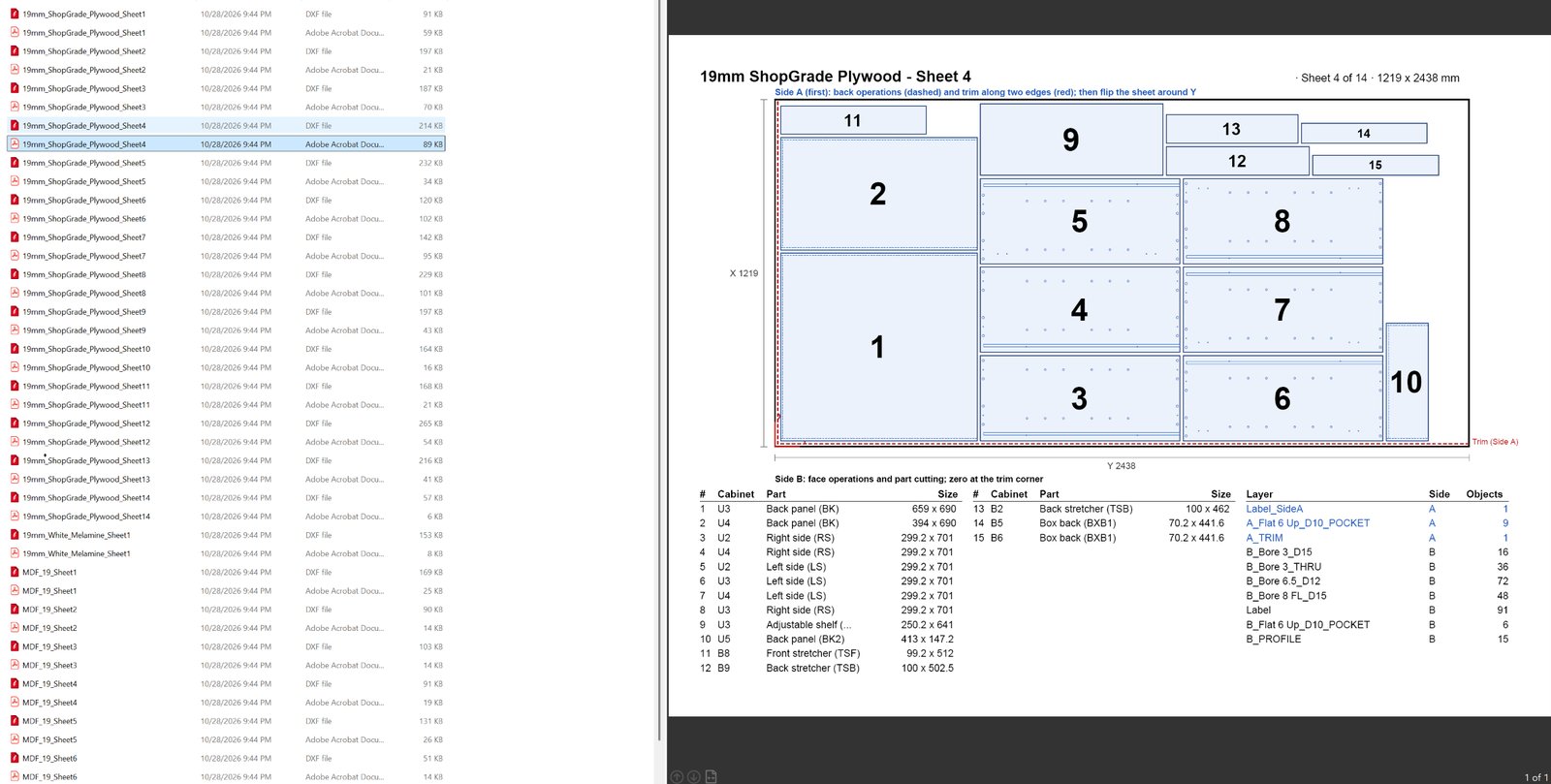
- DXF in R2000 format, in millimeters, plus a PDF for every sheet.
- Layers are named by side, tool, depth and operation type, for example A_Bore 8_D12, B_Flat 6_D8.5_ON, A_TRIM, B_PROFILE.
- Trim strategies: with a chain and with an edge offset.
- A G-code post-processor is in development.
The DXF can be opened in Vectric Aspire.
The program interface is currently English-only.
How it works
-
1
Project
Cabinets, walls, islands, countertops, 3D view, front and interior editors.
-
2
Drawings and nesting
Drawing sheets, nesting by sheet, reports and label data.
-
3
Machine files
A DXF and a PDF for every sheet; layers by side, tool, depth and operation type. Double-sided machining with a sheet flip. Holes cut with a router bit if there is no drilling head. Warnings are checked before export.